When the show is live, the software must not be the thing that fails.
OnAir is a live video production switcher being built around one rule: the show stays on air. Mixing, sound and recording run in an engine of their own, so closing the control screen does not touch what viewers see. When something does go wrong, it says what happened, what it affects and what to do.
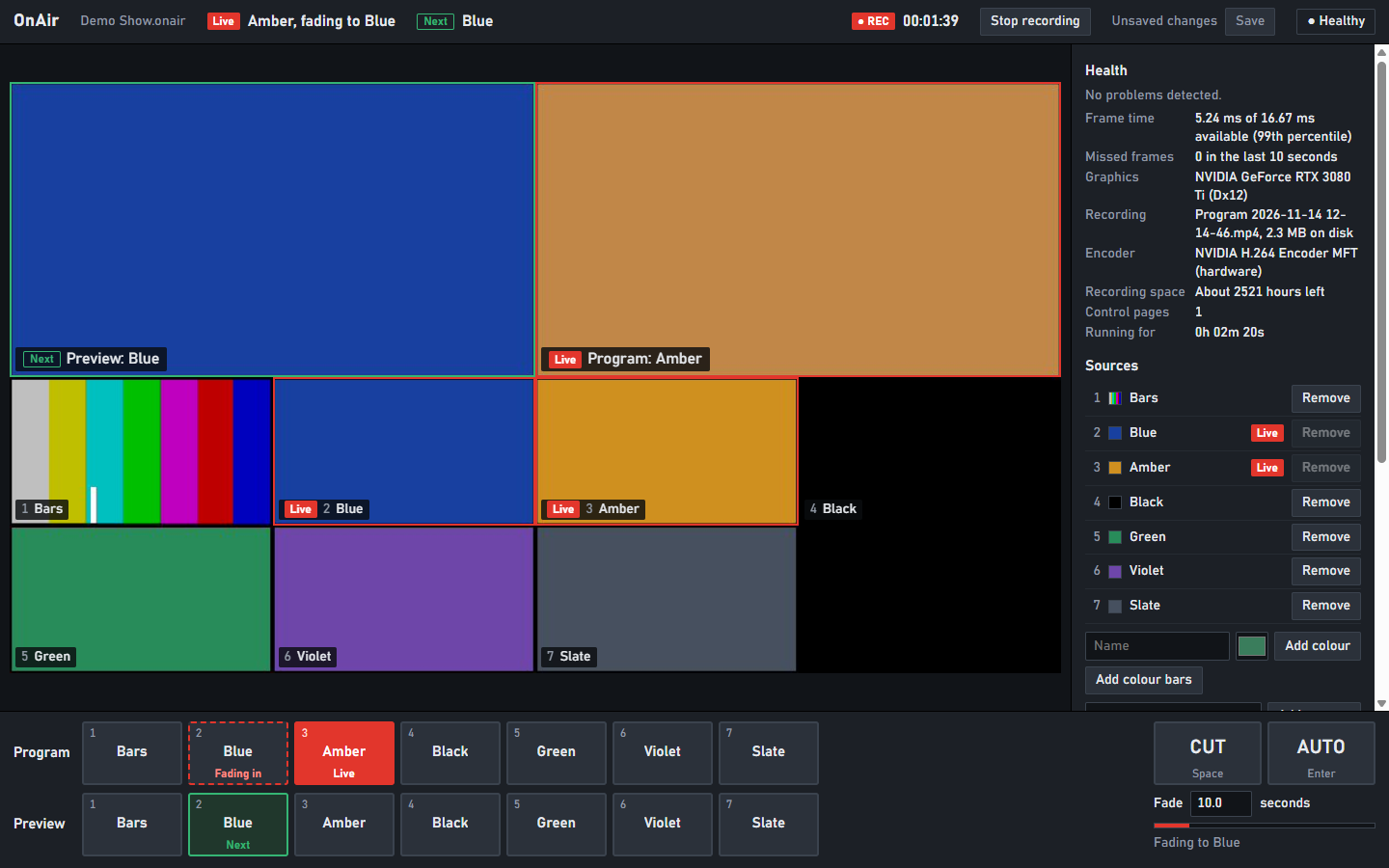
Where it stands
▲ WARNING: early build
- Problem
- OnAir is a proof of concept. It has been run on one Windows computer.
- Impact
- It is not ready to run a real show, and there is nothing to download yet.
- Action
- None needed. This page lists what works today and how each claim was checked.
What runs today
| Switching | Preview and Program rows, CUT, and AUTO fades that start and end on an exact frame. A multiview shows every source with its tally. |
|---|---|
| Sources | Cameras, colour bars and solid colours. A camera with no signal is marked on its tile and its key, and reported in Health. |
| Recording | Program, picture and sound, to an MP4 using the computer's hardware encoder. The file is complete after every second, so it stays playable if the engine is killed halfway through. |
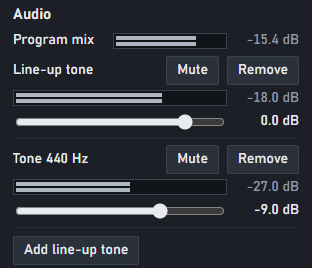
| Sound | A mixer with a fader, mute and meter for each strip, and a line-up tone. The mix is recorded with the picture. Strips can be microphones and other audio inputs. |
| The project | Every change is written to a journal as it happens. Kill the engine, start it again, and the show comes back as it was. |
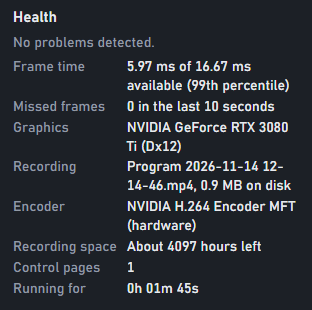
| Health | One indicator for the whole show. Each problem comes with its impact and the action to take. |
| Control | A local API. The control page uses the same one a script or a button controller would, so anything on screen can be automated. |
How each claim was checked
| Recordings survive a crash | The engine was killed 30 times at random moments while recording. All 30 files played back in full, and recording resumed in a new file each time the engine restarted. |
|---|---|
| Sound stays with the picture | A tone that starts on the frame of a cut is found within one millisecond of that frame in the recorded file. |
| Frames arrive on time | In a 30-second session at 1080p and 60 frames a second, with recording running, the slowest frame took 6.9 ms of the 16.7 ms available. None were missed. |
| Recording costs little | Recording added about 0.4 ms to a typical frame. |
| Colour is right | A red frame, recorded and then decoded by a separate decoder, comes back red, and the file is labelled BT.709. |
| Timing does not drift | Frame rates are kept as exact fractions. 59.94 frames a second is 60000/1001, and the picture, the sound and the file's timestamps are all counted from it. |
| The engine is tested | 74 automated tests cover the engine, including the file writer being cut off at every possible byte. |
All measured on one Windows computer with an NVIDIA GPU, using generated sources. Power loss, full disks and long shows have not been tested yet.
A closer look

Built for the bad day
The engine is not the screen
The control page is a separate program from the engine. Close it, reload it or lose it, and the show carries on. Open it again and it shows what is on air.
Failure comes first
Each part is designed from what happens when it breaks, and is not called done until that has been tried.
Red means live
Red is kept for what is on air and what is critical. No state is shown by colour alone: it is always written out too.
Nothing is claimed untested
A camera, encoder or format is listed as supported only after it has passed on real equipment.
Not built yet
- Streaming
- Titles and overlays
- Capture cards and screen capture
- macOS and Linux
- Remote operation